Save as Render
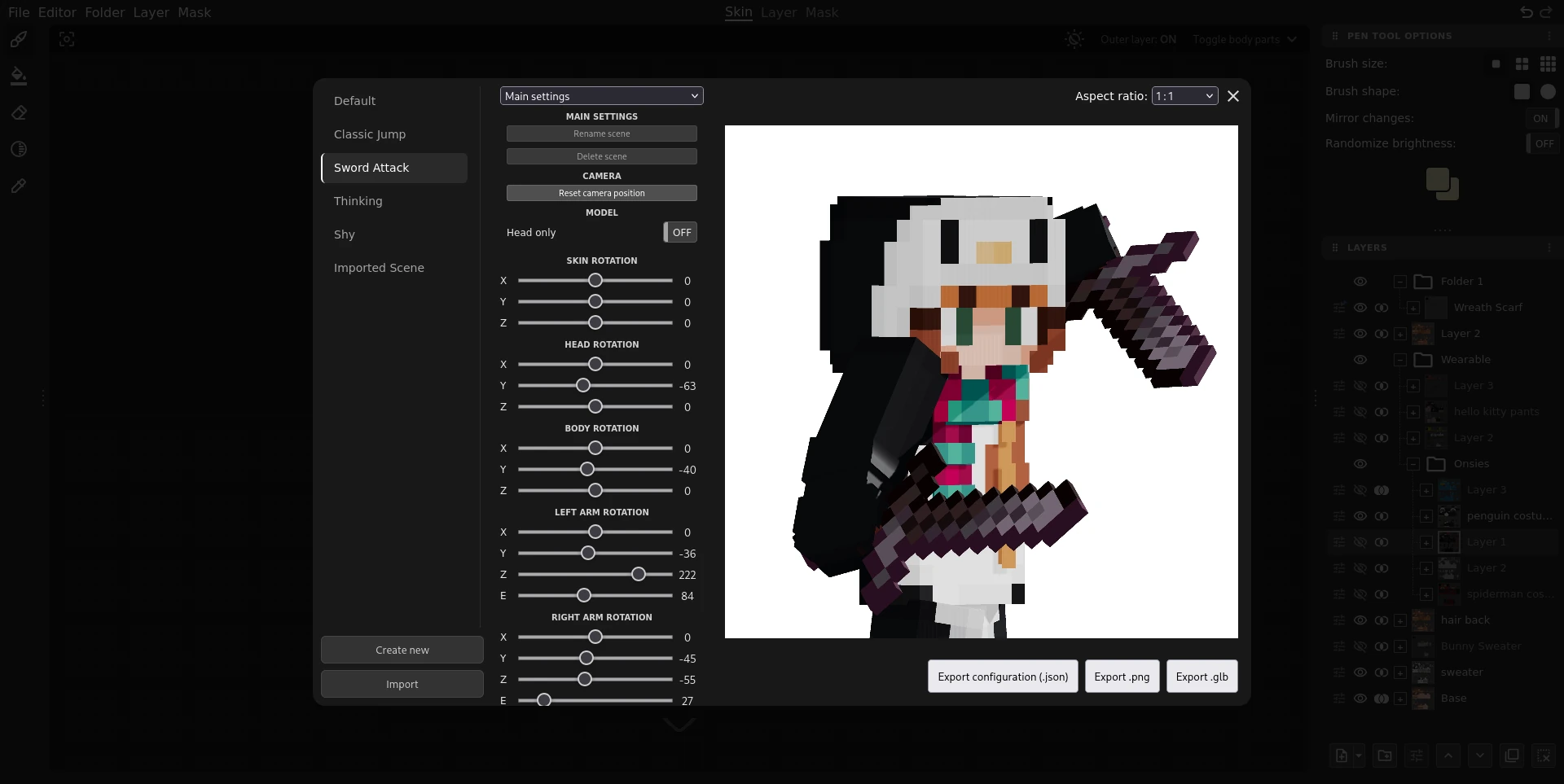
File → Export render (.png/.glb) opens a studio view of your current merged skin. You pose the character, set camera, lighting, floor, and background, optionally equip hand items, then export.
Scenes
Section titled “Scenes”Scenes on the left store camera, pose, and environment settings (not the skin itself). You can:
- Use built-in scenes, Create new, or Import a scene file.
- Rename / Delete custom scenes.
- Export configuration (.json) to reuse a scene later.
Main settings
Section titled “Main settings”- Reset camera position
- Head only - crop the model to the head
- Rotation sliders for skin, head, body, arms, and legs (X/Y/Z)
Environment
Section titled “Environment”- Ambient and directional light intensity, directional light color, and light direction
- Floor on/off and color
- Background on/off with middle and outer colors
Equip items
Section titled “Equip items”Upload or clear left and right hand items, and toggle open hand.
Export
Section titled “Export”Set the aspect ratio (fit, 1:1, 16:9, and other presets), then:
| Button | Result |
|---|---|
| Export configuration (.json) | Scene settings only |
| Export .png | Image of the posed viewport |
| Export .glb | 3D scene you can open in Blender or other glTF tools |